
TL;DR: useDebugValue lets a custom React hook expose human-readable labels in React DevTools.
Without it, DevTools can expose a deeply nested state object that makes you reconstruct the checkout’s actual problem yourself.
Assuming state is the checkout state your hook already manages, add a readable label inside the hook:
import { useDebugValue } from "react";

function useCheckoutStatus() {
  const state = useCheckoutState();

  const payment =
    state.payment.status === "ready"
      ? "ready to place order"
      : "payment needs action";
  const address = state.customer.addressComplete
    ? "address complete"
    : "address missing";
  const coupon = state.coupon.applied
    ? `${state.coupon.code} applied`
    : "no coupon applied";

  useDebugValue(
    state,
    () =>
      `Checkout: ${payment} · ${state.cart.items} items · ${address} · ${coupon}`,
  );

  return state;
}
When someone inspects a component using useCheckoutStatus() in React DevTools, the hook carries its domain meaning alongside the underlying state:
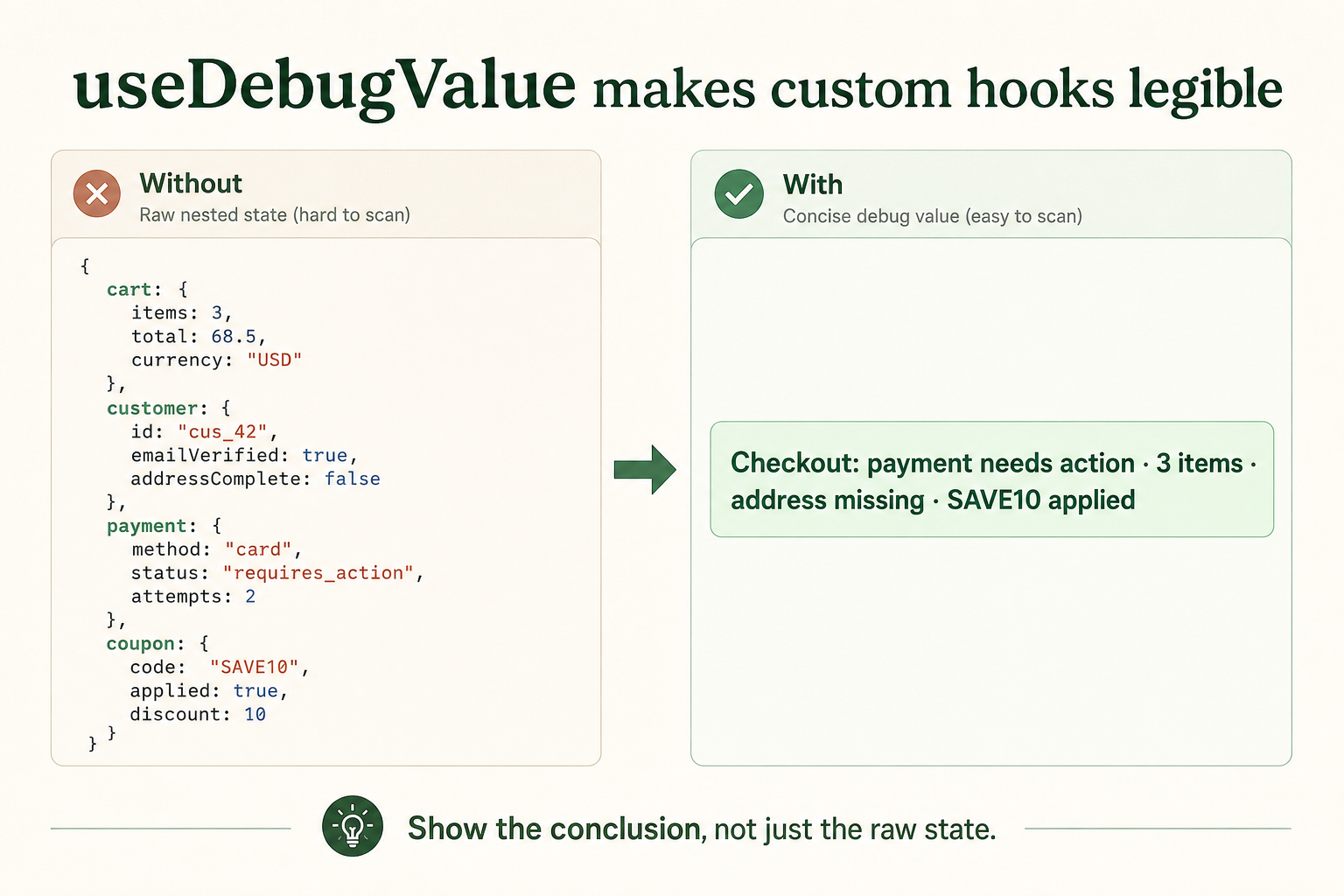
useDebugValue turns nested checkout state into the debugging
summary that matters.
Key distinction:
useDebugValuedoes not change the hook’s state, return value, or rendering behavior. It only adds a human-readable label in React DevTools.
The problem it solves
Built-in hooks are usually self-explanatory in DevTools, but custom hooks package application-specific behavior, e.g., const session = useSession() or const isOnline = useOnlineStatus().
Without extra context, DevTools may show internal state values but not the useful high-level interpretation, such as:
- Is the session authenticated?
- Is the user online?
- Why is this hook returning this state?
useDebugValue is a small observability feature: it lets the author of a custom hook explain its current state to developers.
Lazy formatting: avoid work unless DevTools needs it
Instead of just providing a value to the useDebugValue hook, you can provide a formatter function. React can defer calling the formatter until DevTools actually inspects the hook.
This:
useDebugValue(`Results: ${results.data}`);builds the string during every render.
This:
useDebugValue(results, (value) => `Results: ${value.data}`);allows React DevTools to format it lazily. For simple values, either is fine. Use the formatter when deriving the debug value takes time or memory, such as when serializing large objects.
When is it a good fit?
| Situation | Good fit | Poor fit |
|---|---|---|
| Hook complexity | It hides several implementation details behind a meaningful state. | It only wraps one obvious value or built-in hook. |
| Reuse | It is shared across an application or library, where its DevTools label improves the developer experience. | It is a one-off hook used in a single component. |
| Debugging value | It adapts an external system, such as a WebSocket, query, feature flag, auth session, storage, or ad slot. | Its state is already clear from the component or ordinary DevTools output. |
Never expose secrets, payment details, or personal data through useDebugValue. DevTools are often screenshared, recorded, or inspected during debugging.
// Bad: developer tooling may be screenshared, recorded, or inspected.
useDebugValue({ accessToken, email, paymentDetails });
The rule of thumb: use useDebugValue when a custom hook knows more than DevTools can explain on its own. See the React documentation for the full API.